Wednesday, May 27, 2015

Jump In and See What Happens!

In early April, inspired by this Div1Edtech in EPSB blog post we, Caroline and Marge, decided to jump in and try Kidblog with our respective grade 1 and 3 students.


Our setting is unique, as all of our division one students are distance learners, online.  Our students are spread across Alberta and around the globe. We connect in real time with our class each week through an online collaboration tool called, Blackboard Collaborate and instruct our students asynchronously  through a learning platform called Moodle.

Getting Started with Kidblog - Things We Learned


We  purchased a premium membership as this enabled our students to use their Schoolzone and Google account passwords to log on. No need to worry about another password. Simplicity is the goal.
  1. Enrolling students: Once we set up our Kidblog account we received an individual class code. Students go to the  Kidblog webpage one time only to enter their display name and the class code to create their own individual blog within our class blog. Several students thought they needed to use the class code each time resulting in several pages under that student's name. We corrected this by creating a video demonstrating how to log on to the class blog once the students had enrolled.
  2. Finding the our Kidblog web page and creating a post: Once our students had enrolled themselves they needed to easily find the blog, know how to log in on the page, and most importantly learn how to write a post.  Once again we created a video for our distance learners to view.
  3. Use the Blogroll Widget: We added each other’s class  to our blogroll.  This allowed the grade threes to see the grade one blog and visa versa - each class could comment on each other’s posts.  Consider the potential benefit to students as they connect with other  grades within our district, across the province, country or internationally.

Grade One - Engaging with Learning


Grade ones were beginning to explore and investigate Needs of Plants and Animals so to model for the kids how we are actively engaged in research everyday I took them through a mini-lesson on what Stephanie Harvey and Harvey Daniels in their book, Comprehension and Collaboration Revised Edition call parallel annotation.  
Using a simple piece of nonfiction text projected on our online whiteboard, I showed students how I left tracks of my new learning that come right from the text on the left side of the page, and then how I recorded any new questions or connections on the right side.  For grade ones, I used colored Post-its as suggested in the book;  pink for the new learning and yellow for the I wonder questions.  

Here’s my parallel annotation:


I then told the students that we engage in research every day when new learning prompts us to ask questions and find answers. When I find the answer to my new question, ‘What food can I see for animals in the wetland habitat that I run in tomorrow morning?’ I will blog about it.  

This got students really excited!  It was time to have them practice. Students were now provided with their own piece of text to make a mini - inquiry.  

Here’s an example of what one student came up with:


Once this activity was completed, students were ready and eager to track their thinking as they asked questions, found some answers and satisfied their curiosity through mini-inquiries of their own as they related to plants and animals. The motivation was high because of the opportunity to share their discoveries with others through our class blog.


Students were asked to complete the following for a blog entry:


  • Take a photo of your plant or animal.
  • Write at least one sentence about what you learned or observed.
  • Write one I wonder question that came up for you.

Here’s an example:


Students were not done yet!  They were then asked to practice collaboration with others by making specific comments on a classmate’s blog.  Grade ones have learned that they practice collaboration when they use considerate language and listen carefully to what another student is saying.  


Students were asked to include the following in two comment entries:


  • Write at least one sentence about what you learned from a classmate.
  • Write one I wonder question that came up for you.

Here’s an example:


I am so excited to report that grade ones are off and running with their mini-inquiries. The comments from peers are motivating them to dig deeper and uncover new learning as they keep the conversation going. The strongest part of the learning is that they are demonstrating that research can be 
F-U-N!

Grade Three - Students Sharing Excitement


Grade threes were beginning a study of Animal Life Cycles. Our purpose for blogging was to keep a journal to record observations of, and learning about, the growth and development of a living animal. Students followed individual interests under this common topic. They found tadpoles to observe, studied sow bugs, learned about chickens, observed caterpillar larvae, and one student who was unable to obtain any of the typical life cycle creatures to observe, focused her studies on Triops.  For these students who live across the province and around the world, our class blog was an opportunity for meaningful sharing and learning from each other.This wider audience made kids eager to share! 

I asked another class to respond to our posts and a grade 8 class wholeheartedly jumped in.  It was an opportunity for these junior high's to practice digital citizenship by giving constructive and encouraging comments to grade 3 students. Suddenly I had an avalanche of comments to approve! (Beware of this, it is a good problem to have.) Grade threes were intrigued and asked the next day in our online class, just who these commentators were. They were delighted! 

Grade threes are also focused on inquiry using two column notes to track their thinking, another strategy from Harvey and Daniels book, Comprehension and Collaboration .


The engagement and enthusiasm took off as curiosity extended beyond the original topics. Students began to notice and wonder as you will see in the following posts.


There you have it,  we jumped in and used Kidblog with delightful results for our students. We discovered that it is ideal for kids at a distance, as it gives them the opportunity to see what others are doing and to learn from each other.  We encourage you to jump in as well. It’s never too late!


Next, we are considering using Kidblog for student math journals and we're very interested to hear your ideas for math journals using a blogging format.


And by the way, if you wish to encourage young scientists, feel free to leave a guest comment on our student’s blogs.


Caroline Schollaardt Marge Kobewka


Wednesday, May 20, 2015

A Spring Blogging Activity With KidBlog

I wanted my students to do more meaningful writing during literacy centres, so I added a blogging centre.


Needed:

  • students who already know how to blog (I wouldn't recommend this as a first blogging activity)
  • another class/people who will comment
  • three to four lessons/centres

Activity One: Blog About Spring

Students were assigned to blog about spring for one of their literacy centres. Each week I review any new centres at the beginning of the week. So I reviewed what was needed for a blog post and then modeled it by composing one myself. We reviewed:
  • titles have capitals
  • you start with an introduction
  • you should aim for at least three middle sentences
  • end with a conclusion (I encouraged students to ask a question to encourage comments)
I usually chose one student's post to read at the end of centres each day to check for understanding and reinforce expectations (as well it holds them accountable to finish their task as they never know who I will pick). Students then blogged throughout the week and I grabbed students for quick edits during quiet reading time, if needed, each day before I approved posts. Doing this in chunks made it easy to manage and keep on top of the edits. 

I also found it helpful to have the task written on chart paper that I could put up during centres so students could be reminded of the expectations.


Activity Two: Commenting

The following week I changed the blogging centre. This time they had to comment on another person's blog. By this time, each student had one or two comments from people who I occasionally ask to help provide an audience to my students. So the task this week was to:

  1. Re-read your own blog.
  2. Read the comments others have left you.
  3. Select the name under yours on the blog list and read their blog. Then comment.
  4. Continue down the list until time is up (We reviewed when you get to the bottom, you start at the top of the list next).

Again, I reviewed and modeled the task at the beginning of the week. I chose a student's blog and read it aloud. I reminded students how to access the comment box and modeled making a comment. I explained that commenting needed fewer sentences. My expectation was they had one sentence that showed they had read the blog post. Then they needed a question.


Like the week before, I usually chose one student's comments to read at the end of centres. Also like before, I grabbed students for quick edits if needed each day before I approved comments. 


Just as before, I had the task written on chart paper so students could be reminded of the expectations and format.


Activity Two: Replying


I put out over social media a suggestion that people could reply to our blog posts as a writing activity. And as luck would have it, someone did! We had another KidBlog class read our blogs and comment. The teacher said that, " They're hoping that the kids will comment back."

As we never had gone over replying to a comment in class, I decided NOT to do this as a centre. Instead I did it as a whole class activity.

First I explained and then modeled the task:
  1. Find your spring blog post.
  2. Read the comments people made.
  3. Reply to the comments (most had at least three, many had more).
  4. Finished early? Read comments on other classmates' posts.
The expectation for the reply was much the same as the commenting task. I wanted students to write two sentences. This time the first one should be a personalized thank you. The second sentence needed to reflect they had read the comment.


Reflections

I loved this task. It was authentic and motivating. By making it a centre, it was easy to monitor. The biggest challenge is finding  people to comment on the blogs, but a work around for that is having the students become the audience for their classmates. By having students comment in a structured way (comment on the person's blog who is below you), you ensure that all students get at least one comment. I write a few comments on blog posts that only initially had one or two comments.

Students enjoyed the task as well. They really were excited during the last activity when they saw how many comments they had.

The first time I had tried having students comment on blog posts I made it way too complicated for grade twos. I like the simple format I used this time: a sentence that shows you have read the post and a question to the author.

Next Steps

I'd like to do something similar before the end of the year as an assessment task.

Tuesday, May 5, 2015

Reading Response and Forms Revisited

Last May I used and blogged about Google Forms as a reading centre for reading response. Last year I ended my post with thoughts on my next steps: I am going to be teaching an integrated science (about insects and the like) and language arts unit soon. I've been working on creating a number of forms to go with animal book sets. A year later I am revising and refining the integrated science-language arts unit. 

Reading Centres

As a Balanced Literacy trained teacher, I use reading centres in my class most weeks. When creating centres, I look for activities that are engaging and independent tasks that have an element of accountability built in. The combination of Google Forms with Flubaroo provides me engagement, independence (for most students) and accountability.


The Book Tubs Centre

I set up the activity to be two centres. First they go to the "Book Tubs" centre. There students have a range of books to choose from. This year I decided to create three tubs (one, two and three). The books in tub one are easier, the books in tub two are an average grade two level and the books in tub three are more challenging. This way the task is multi-level as I often have multi-level groupings. Each tub has about four different books. I have five to six copies of each book (I use guided reading book sets).

At this centre students read multiple books during centre time. I encouraged students to be responsible for selecting their own books. Whenever I introduce a new centre, I always model it. For this centre I reviewed that students need to make the best choice for themselves. I encouraged them to select books that they can read independently as they need to be able answer questions on what they read. Some student needed some guidance on their choices initially. 

The Google Forms Centre

The next centre is when they select one book that they read at the Book Tubs centre to do a comprehension activity on a Google Form. I use a class website as a portal for most online work, so I created a page on my site dedicated to reading responses (SchoolZone and Classroom are good other alternatives).


Last year, I had required students to login prior to doing the Form but this caused some problems. This year I have NOT selected the "require EPS login to view this form" but have simply made typing their name a required question. This has allowed me to post the Forms on my class website and avoid the need for logging into Google Drive (we do not have Chromebooks you see).
I tested each quiz once I posted them on the class website. This gave me a chance to check for errors as well as to make a key for marking later.


Quick Accountability: Flubaroo

After each centre, I use Flubaroo to quickly grade the quizzes. Students who did not do well on a quiz are given that book to do again (sometimes later that week, sometimes the next time they go to that centre). 


What I Learned From Flubaroo

Last year, I used many text and paragraph answer type questions in the quizzes. When it came time to use Flubaroo to mark the activity, it became too time consuming. Flubaroo can mark some text answers but does not mark paragraphs. So last year I ended up with many long answers to read in the spreadsheet, which was difficult to assess in that format. I think long answers are important for reading comprehension, but it did not work for this particular activity.

Remembering what I learned last year, I decided that this time I would only use questions that Flubaroo could mark to make it easier and quicker to track student work and therefore to hold students accountable. 

Year Two, Less Work

As I did this last year, I had most of the Forms already created. However, as I decided to not use long answer questions, I did have to re-vamp many of the questions but this was not too time consuming. As with last year, I've posted all the forms I've made for books on the Division One Collaboration Site For Educational Technology.

Saturday, April 25, 2015

Technology As My E.A.

Help!

I recently had an educational assistant (E.A.) join my grade two class about 60% of the week. After about a month of having her in class she was away for two weeks. Despite her only being with my class for a short time, I already relied on her for the smooth running of my literacy centres. Each day students go to two centres. I have a large number of students who are working significantly below grade level and with behavioural issues. I truly needed her help and now she was going to be away for two weeks!


Technology To The Rescue

During reading centres I like to work with one group exclusively on guided reading or guided writing. I only leave my group briefly in the middle of each centre to monitor students' progress on the other centres (I sit where I can visually scan all groups regularly but I also like to do a walk-around once). Therefore, all the other groups need to be independent so that they are not interrupting my group. I do not want the independent work to be "filler", however. I want students to be engaged in meaningful work.

So, I decided to try increase the technology I use for centres to help me during my E.A.'s absence. My reasoning? Not only is it engaging but it could possible help provide immediate feedback on their work. Plus, if done correctly, I felt it would require little instruction from me. 

I already was using technology twice in my centres. Since September, students used tablets to access their RAZ Kids accounts. As well, students regularly accessed the computers to do word work activities (either from Spelling City or from interactive games/activities that related to the word work topics of the week).


OR Should I Say Google To The Rescue?


After searching ideas online and scanning many Pinterest boards, I did not find any pre-existing and free technology options that I felt met my needs. So I decided to make my own using Google Apps for Education products. 

Forms


The first tool I turned to was Google Forms. I used multiple pages along with the "Go to page based on answer" for multiple choice function to create a form that told students if their answers were correct or not as they worked on the form. They were directed to a video that reviewed "verbs" are if they selected the wrong answer. I taught students how they could select the "back" option once at the video to try again. 


I could see using this as a centre again, depending on the topic. It did not take much time to set up and my students were already familiar with forms, so it do not require a lot of instruction from me.

YouTube

I used YouTube for a making words station in a similar fashion as I used forms: I used it to provide students feedback on their work. I found a Notebook file I had created previously for a whole class lesson (I've been doing making words on the Smartboard for a long time, so I have many of these). Using Screencastify and a headset with a mic, I recorded a instructional video that I then uploaded to my YouTube channel. I put the letters needed for the making words lesson into ziplock bags and created a worksheet to record their work.

At centre time students took a bag of letters and a record sheet to a computer. As the video instructed, they'd make a word based on what they heard orally. Then the video would show them the correct way to make the word. I monitored whether or not students were just listening to the video and writing down the answers or if they were actually making the words along with the video. Only one or two students needed re-directing at the beginning of the centre.


I asked the students after how they liked the video/making words centre. Most gave it a thumbs up. A few mentioned that they found it too easy. So the following week I created two videos. I labeled each bag with a sticker to denote which level the letters belonged to.

I found this centre so successful that I have decide to keep it even with the return of my aide! I had always avoided having a making words (without technology) centre because students would not get feedback if they were making the words correctly until I looked at the record sheet a day or two later. Now that is no longer a concern as the video provides instant feedback. As it does take some time to make the videos, I will likely not use this centre every week.


Read And Write For Google


We had been working on adjectives and adverbs in language arts and learning how to revise sentences with them. So I decided to have students work at a "Super Sentences Centre". Each student was given their own copy of Super Spring Sentences (I used Doctopus to share). Students had to revise the writing by adding adjectives. Students who needed support got it with Read and Write For Google (RW4G). For those of you who are not aware of RW4G it is an extension that will (among other things) read a Google Document to the user. This meant all my students could work at this centre independently. In addition to having RW4G support them in reading the Document, they also had spell check to help them with the words they were adding. My students were familiar with how to use Google Docs and RW4G prior to this centre.

At the end of each round of centres each day, I read that day's Super Sentences creations on the Smartboard. This helps hold students accountable as well as show students how adjectives and adverbs can totally change a piece of writing. 

Like the making words videos, I liked this centre so much that I've decided to keep it in the regular centre rotation. The following week I modified it slightly for adverbs. As I create more "Super Sentences" centres I will share them on the Division One Collaboration Site For Educational Technology.

Not A Replacement

While having these technology centres helped bridge the gap while my aide was away, they are not a true replacement for an effective teacher or educational assistant. Unfortunately, there are many years when teachers have large class sizes with diverse needs and no funds to provide a human educational assistant when one is needed. Hopefully some of these ideas may help support teachers in that situation.


A Note About Access To Technology

To provide some context, I will share what technology I have access to. I have four desktop computers in class. As I have 25 grade two students in my class, most of my groups for centres are four to six students. So I use the computers as a centre but often need to use a netbook or two as well for large groups. Our school has 18 tablets. I currently keep six of them in class permanently as they are not used by others, at the moment. I also have easy access to a cart of 24 netbooks (yes, netbooks).  While these are not for my class exclusively, no one else uses them so I keep them in the room across from my classroom for easy access. Therefore I can have more than one group working at a computer-based centre.  

Friday, April 10, 2015

KidBlog: A Review


Kidblog Instead of Blogger


I have used a few different platforms for blogging with younger students. A few years ago, I settled on Blogger because it was apart of Google Apps for Education (GAFE) which I use regularly in class. The interface is similar to the other GAFE applications students use.

Last year I learned about KidBlog and was invited to participate on another classroom's blog. I was impressed by its set up, so decided to use it for my classroom blog this year. At the moment I am only using the free features. However, when my school finally gets Chromebooks, I may look into getting a premium membership as I love the fact that it has Google Drive integration.

Kidblog.org:
  • is free
  • is ad-free
  • is easy/simple
  • has Google Drive integration for premium members
The site motto is "safe and simple".


What I Like About KidBlog


FOIP Friendly

When students log in, they have a drop down menu to select their name from (I wish more sites did this). You can choose for each student whether or not their name is in the login list and blog directory. Those students who you do not want to be listed publicly can scroll down when logging in to "show all users" and then find their name.

When students who are not listed in the blog directory post, no one can see their posts on the blog. So students who may not be able to participate in blogging on other platforms due to FOIP can still blog but it is only visible to them and the teacher. 

You can have 40 users for you class with the free account. I add (safe) adults who I often ask to help respond to blog posts. However, you can have any visitor make a comment without needing a login, if you wish. You can also restrict comments to only being from users in your class and/or other users from other Kidblog classes.


One Blog, Many Bloggers

One of the things that I like is that all the students' blogs are centrally located. When you set up your class, you have one main blog. Then each student is a blogger within that blog. When you, as the teacher, do a new blog post, it shows up on the main blog site. When students do a blog post, it does not show up on the main blog site but on their own blog that exists within the class blog.

When you go to your class blog, you'll see the most recent teacher posts and then on the right you'll see a blog directory. The students' names are hyperlinked to their own blog.


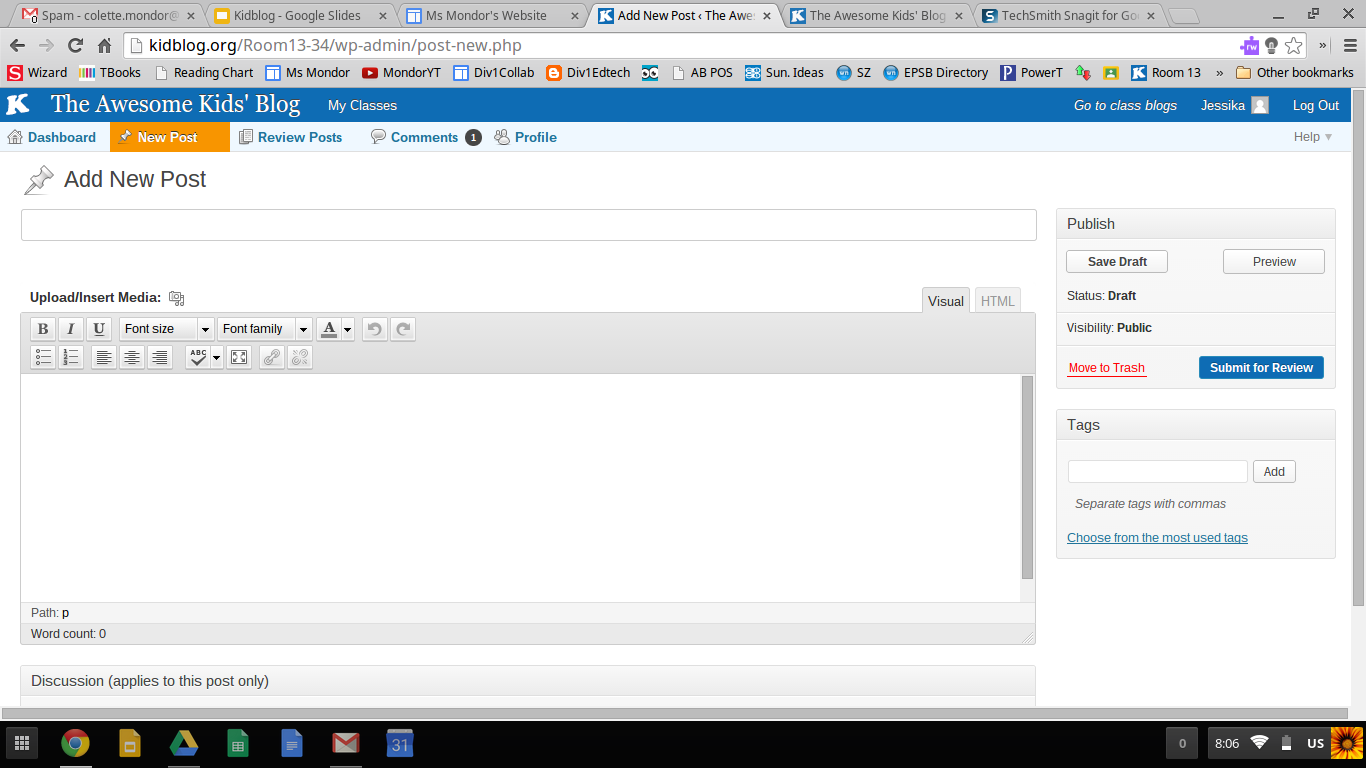
What A New Post Looks Like

Their new post format is very similar to other blogging platforms. I wish it was a little more division one friendly. In general, students have minimal difficulties with composing new blog posts. Younger students will need help finding drafts and making edits on already posted blogs.


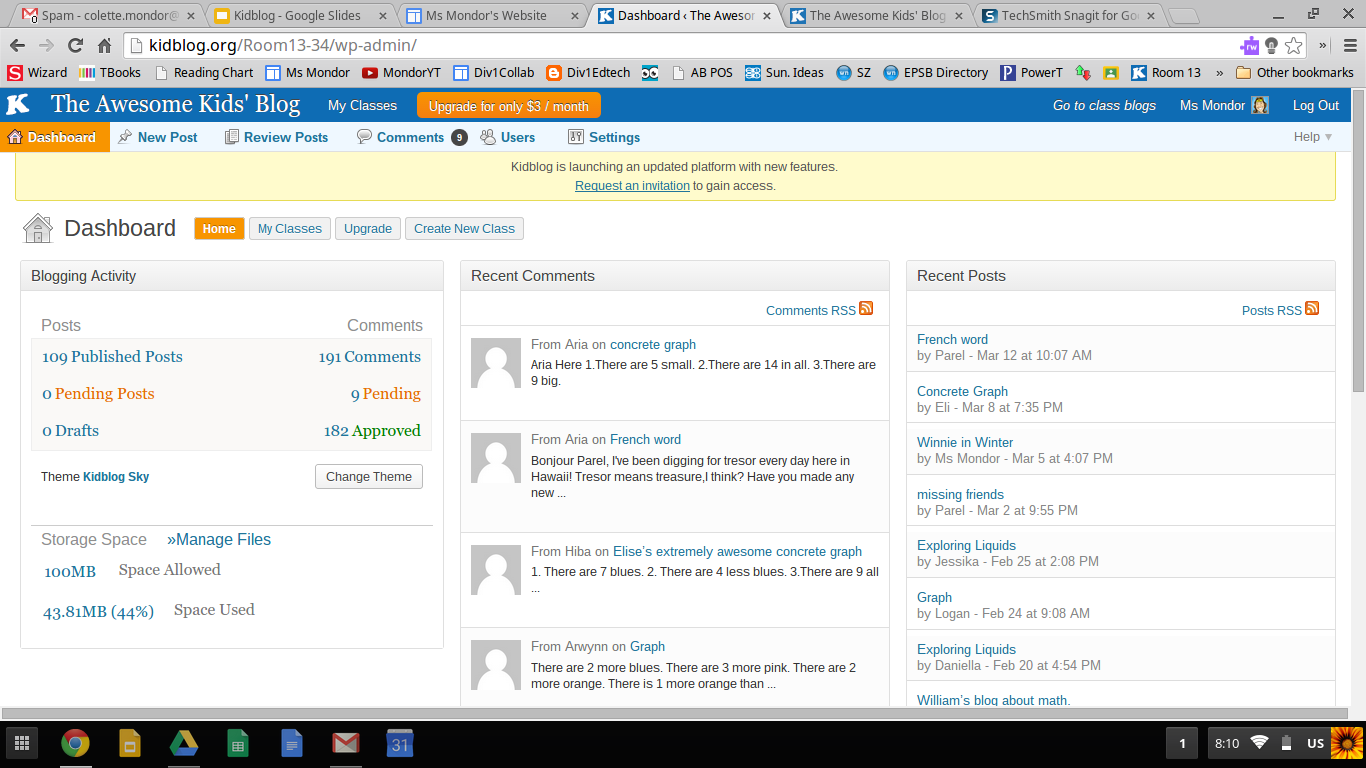
Teacher Dashboard

The teacher dashboard is well set up. You get a quick glance at if there are pending comments/posts that need your approval. 


Some Ways I Have Used It


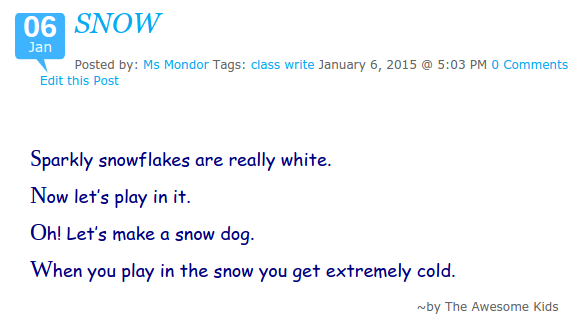
Class Writes

PDULI4I often model a form of writing prior to students doing their own writing. I give a purpose to these class write by publishing them on our blog. This also provides parents the opportunity to see what we are doing in class.


Commenting as a First Blogging Experience

Before letting students do their own blog, I introduce the site to them by having them learn how to comment. This year I posted a picture from a field trip and asked students what their favourite part of the field trip was. I like this as an entry point into blogging because it allows them to learn how to navigate the site without the extra complication of writing expectations. 


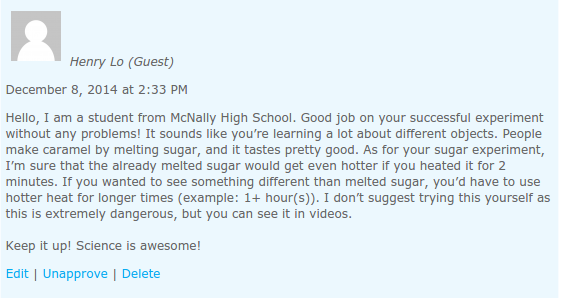
High School Commenters

wDTzhWTo give my students the full blogging experience, I connected with a teacher in high school and arranged for his students to comment on our blogs. My students were excited to have a real (and older) audience. The high school teacher said his students found the assignment challenging.

I will say getting other classes to comment on our class and individual blog is a challenge. I use Twitter and G+ to try to solicit involvement, as well as emails to friends and colleagues.


kHguFB Student Created Math Problems and Answers


I won't go into this activity in great deal as I recently blogged about it. Students took pictures of their concrete graphs. These were then made into blog posts. Each student had to write math questions to go along with their picture. Then they each had to answer another student's blog/questions. 


Keeping Connected

I have one student this year who is moving temporarily to another province. She will be back for grade three. She is able to stay connected with her friends while she is away. She has posted twice now and the class has replied in the comment section. Her mom emailed me to say: She is super happy to be still in touch with her friends. Thank you Colette. Talk about writing for a purpose!


Suggested Reading

If you are interested in exploring Kidblog further, I suggest reading Blogging4Kids' posts on Kidblog.