Showing posts with label math. Show all posts

Saturday, July 9, 2016

An Interview With Marge Kobewka

An EdTech Perspective From An Online Teacher


This month we are featuring Marge Kobewka, an EPSB teacher and Div1 Edtech blogger. Marge currently is an online teacher and therefore offers a very unique perspective on technology in education.

You can find Marge as @MaggieKobewka on Twitter and on Google+. I have been fortunate to have many in-person conversations with Marge and always leave inspired. I was thrilled when she agreed to be interviewed and once again inspire me. 

Check out some of Marge's blog posts: 

The Interview


What grade(s) do you teach?

I teach grade three students online and a group of grade 4, 5, 6 students, who meet with me once a week at Argyll Centre for a writer's workshop and computer science - coding with Scratch.  

What technology skills should students have before coming into the grade(s) you teach?

I would like students to have a growing understanding of digital citizenship. For example  understanding how to use their passwords and keep them safe, an awareness of their developing digital footprint, and some experience evaluating a website by asking, "Will this website answer my question?" This year I used a series of lessons from Common Sense Media, that addressed these issues and more. 


Where do you get your educational technology ideas?

I get ideas from Twitter, professional reading, colleagues and blogs. This spring I read a fabulous book, Invent to Learn by Sylvia Libow Martinez and Gary Stager. On Twitter I follow as many teachers as I can. 

If you are looking for inspiration for using technology in the classroom attend blendED2016, Alberta's Blended and Online Symposium, October 23-25, 2016.  I am on the organizing committee and I know you will come away with lots of ideas to apply to your own classroom practice. 

What type of technology do you use in your school? 

We use laptops, iPads, Moodle, Blackboard Collaborate, and Google Applications.

Imagine you only could keep one technology at your school. From the ones you listed about what would be the one you would keep?

For now, it would be Moodle and Blackboard Collaborate however I would never want to be limited or tied to one kind of technology.  


Based on your response to the question above. Why would you keep that technology?

Currently Moodle and Blackboard Collaborate are primary ways I keep connected to my online students and their parents. The work I have done as an online teacher involves thinking about best practices for learning, (especially for young learners), and then re-envisioning those practices in an online environment. It is a challenge that I love. Especially since young learners need to move, create, act, and play as part of learning. It is definitely a collaborative effort and that is why my 'classroom' includes the parents who work closely with their children. 

Have you ever attended an online webinar? Now imagine doing that with 6, 7 or 8 year olds. My division one colleagues and I have online classes with our students, usually these are an hour long. We have developed a variety of ways to have our lessons be interactive, engaging and collaborative. 


What is one piece of technology would you like to try in your classroom that you haven't had an opportunity to yet?

Last year I worked with grade 4, 5 and 6 students to learn Scratch Coding. We used Google's CSFirst to help us learn (I am including myself in that one). This year I am building on that to include Makey Makey and a Hummingbird Robotics Kit. I am not ready yet to move these tools to division one but I am thinking about meaningful applications.


What is something new or different you are planning to try next year? 

One evening after school, (5:00 pm) I got a notice that one of my grade three students wanted to have a video call with me. I accepted and there he was, at home sitting on his bed with his computer and math book. He was puzzled about some math questions. We discussed the math problems and he went off to do his work. It was a delightful exchange, after all, there is everything to like about an earnest eight year old who uses technology to connect and learn. Based on this experience I am considering having a small group of students (four or five) meet weekly to participate in 'Google Hangouts Book Club' and 'Google Hangouts Math Talks'. I am thinking it will be important to have a small group and to alternate the groups from week to week so that in the course of the month all of my students will participate in both the Book Club and the Math Talks. This will be different than the Blackboard Collaborate sessions we have as a whole class.


How has technology changed the way you teach?

Ha! My very position as an online teacher is determined by technology. I hope that you can see that one of the joys of my work is the opportunity I have to problem solve and create something new. In my case the 'new thing' is an online learning environment for division one students. I sometimes wonder why was it slow to dawn on me that the joy of creating and sharing that I love about my work, is exactly what students need to do too. This insight changed the way I view technology. How can technology enable kids to problem solve, create, share, collaborate - all the very things that make learning engaging. 

I recognize that technology can give students the opportunity to become creators and problem solvers, but I don't think that all online learning is presented in that way. Even in my own practice I see giant leaps forward over the time I have worked to develop an online learning program. It is always about learning to use the particular technology and then applying what we know about learning so that the technology becomes invisible. 

I think the real question should be not what technology do I want to have in my classroom, instead the question is how do I deepen the learning? Make it meaningful? Enable kids to think more deeply and become creators? Then I can look at the tech I have available and use the resource that will enable that kind of learning. For example this year instead of Math Journals I had my students create Math Videos. All of my students had tablets at home and so using Apps such as: Show Me, ScreenChomp, and Explain Everything, my students explained their math thinking to me and to each other. As we progressed through the year I realized that not only did I have new insights into my students understanding of math concepts, my students had to think more deeply to explain their thinking in new ways. And to my delight I was also obtaining a library of 'learning objects' to use in my online course. What could be more meaningful to students then seeing another student explain a math concept and then discussing it together?


How do you decide what is worthwhile for students to learn through technology?

My students are at a distance - they are students who live in various communities in Edmonton and across Alberta. I am fortunate to work with families who are highly committed to working with their children to learn at home. This presents both opportunities and challenges. My goal is always to develop meaningful interaction and to learn from each other. 


What apps or technology tools do you use? Are there any that you use for specific projects?


What are your hopes for educational technology in the future in your classroom? Alberta? Canada? Globally?

Seriously, you have to know that I am excited about the changes and challenges before us in education. Once, I was told that designing lessons was an iterative process and I had to start with the end in mind. I think that is still true but I would add this: The process of learning is iterative and the end is something I may not even imagine yet.

________________________________________________________________________

I would like to thank Marge for taking time to do this interview during the summer.

Check back each month for new interviews with Kelly Maxwell, David Salmon, Shannon Pasma, Alyssa Prouty, Colleen Roux, Jared Galbraith, Alicia Kuzio, Laura Buchanan and Amanda Fahey!
________________________________________________________________________

related blog posts: 

Tuesday, March 1, 2016

Reflections and Learning from 'Movies and Math'


I was delighted to attend several of Kathy Cassidy’s presentations at GETCA (Greater Edmonton Teacher's Convention), this past week. Through Twitter I have come to know her as grade one teacher who fearlessly and meaningfully integrates technology in her classroom.  She shared tips, tools, student blog posts, math movies, and apps that she uses in her own practice as a grade one teacher in Saskatchewan.  

Jo Boalar’s online course How to Learn Math and Sherry Parrish’s excellent book, Number Talks have made me eager to increase the math conversations in my online classroom, and Kathy’s sessions highlighted some new tools to make this happen. Here are some of them.

Free and Awesome Math Apps

What’s fabulous about these first three Apps is that they are available for both the computer and the ipad.  And best of all they are free. Play with them and see how they will support math learning in your classroom. Division one students will easily pick up how to use these Apps especially if they are modelled in day to day math discussions.


Once students have completed an activity with any of these Apps, save their work by taking a screenshot. Not sure how to do this?  To create a screenshot of your iPad display, press the sleep/wake/power button (at the top-right of the device) and the Home button (below the screen) at the same time. There are many ways to to get a screenshot on the computer but one of my go-to tools is Greenshot. It's free and easy to use. Now to use these images to create a math movie.

Tools for Math Movies

ScreenChomp, Show Me, and Explain Everything are the tools that some of my students have used to create math videos. All of these are for the iPad, a tool which I know not everyone has in their classroom.

Young children can be challenged to speak and draw on the screen at the same time.When a student is using these applications - add all the images and the on screen drawings before creating the recording. Once everything is in place, students can press record and explain their thinking.   

ScreenChomp  Here is a short video explaining ScreenChomp. If you want to know more about this App check fellow blogger David Salmon's Post: Unleash Your Student's Knowledge with ScreenChomp.


Show Me - Getting ready to create a Show Me


Explain Everything  
Explain Everything is a tool with lots of options but not one that young students could easily use independently. The videos that my students have created with Explain Everything have been done with the one on one support of an adult.  


Inserting videos in a Google Form

I plan to have my students use these tools to demonstrate their understanding of math concepts by creating their own math videos. The next step will be to get them sharing their videos with others and having other students respond to the videos.

There are many ways to share our Math Movies. Check the recent Div1 Edtech post on blogs. However I want to try something new. I've discovered that you can now insert a video in a Google form. I am interested in giving it a try. In my online classroom I would post a video in a Google Form and use that as one way to capture student responses. Although the creator of the video would not see the responses I would gain insight into student thinking.

A Powerful Practice for Learning and for Assessment

Whether your students are in a classroom together or scattered across the globe imagine the power of students creating recordings of their math thinking and sharing their videos with others in a variety of ways. My goal is to have all of my students creating recordings and responding to each other as we continue to collaborate and grow in our math learning. I use simple sentence starters to guide students as they give responses:

'I heard you say...', 'When you said... I thought....', 'Did you try...? 'Can you tell me more about...', ' I learned ....', Now I understand...'.

When it comes to assessment, these math videos give me one more opportunity to listen to student voices and guide them in the next steps for learning. As students think, process, clarify, reflect, respond and rephrase there will be a lot of great learning happening. And that makes me happy!


Sunday, February 28, 2016

Reflections On: Connected From The Start PART 1: "Skype"

Connected From the Start

When I started using Google Apps For Education in the classroom, there were very few lower elementary educators who were sharing what they were doing with technology in the classroom. There were even fewer K-3 Canadian educators sharing. Kathy Cassidy was one of the few exceptions. So I was excited to have a chance to see this trailblazer at the 90th Annual Greater Edmonton Teachers' Convention. I went to see her session called "Connected From the Start" which is also the name of her book which covers the same topics.


It IS All Connected

Like many teachers who use technology in class, Kathy uses a wide variety of technology devices and applications. Her classroom has one-to-one iPads. Her session had three main sections: Skype, Blogging and Twitter. I am going to review each section in a separate blog post.

However, I want to add a caveat to blogging about these topics separately. The magic in what Kathy (and other educators like her) does is that she does not just do ONE of these in her class, she does ALL of them and more. That's where the magic happens. Students are not simply bloggers, tweeters or Skypers, instead they see themselves as connected to the world throughout the day, across the curriculum. I know that can seem daunting to someone who has not tried any of these tools. However, I think people who only try one platform or only do blogging for one assignment will not be able to appreciate or experience the magic that happens when you open your classroom up to the world in multiple ways and vice versa. 


Part One: Skype (Google Hangout)

For those of us in EPSB, I would suggest using Google Hangouts rather than Skype (both are video chat platforms). However, the program used is not what is important here. It is how and why video conferencing is used in the elementary classroom (based on Kathy's presentation):
  • Can't get an expert to come in class? Have them Skype in: Nurse? Geologist?
  • Buddy reading  
  • Mystery Skype (she did not recommend this for grade one)
  • Mystery Number Skype
  • Skype an Author

How To Connect With Others?

Kathy recommends checking Skype for Educators to find other teachers/classes/experts to connect with via Skype. She also encouraged people to use the Twitter hashtag #mysterySkype and Connected Classrooms community on Google+.


My Reflections

As I began to write this blog post I realized that we have not blogged here at Div1Edtech about Google Hangouts yet. I have used Google Hangouts a number of times. I find it an excellent, yet fairly simple way to make learning relevant for students. It is great of any age, any grade. Going to Kathy's session reminded me to pursue more opportunities for Hangouts this year. 
  • Can't get an expert to come in class? Have them Skype in: Nurse? Geologist? This is sometimes easier said than done. However start with people you know. Kathy mentioned she uses her sister, a nurse. I will say that this is when being a "connected" educator comes in handy. It is amazing how many opportunities you can create for you class because of your Twitter or Google+ PLN. Note, developing these connections does not happen over night.
  • Buddy reading. I love this idea! I think students would find it motivating. I have already lined up Mr. Reilly for a test run! Look for a blog post about how it goes. 
  • Mystery Skype (she did not recommend this for grade one). As someone who has never taught grade one, I appreciate her opinion about grade ones' readiness for Mystery Skype. I have done it in grade two, and with guidance and structure, it is a worthwhile social studies activity.

Friday, August 21, 2015

Subscription Based Websites For Math: Prodigy $

Subscription Based Websites


For the second summer in a row, I attended the GAFE Summit in Calgary. One of the sessions I went to was Emily Fitzpatrick's session: Not Your Momma's Math Class - Elementary. It got me thinking about what subscription based websites I wanted to invest my time in (and sometimes money) and that support the grade two Alberta math curriculum for the upcoming school year. This the second blog post in a series of (number to be determined).


Series

  1. Mathletics
  2. Prodigy


Prodigy

Emily introduced me to a new math game this summer: Prodigy. Like Mathletics (my previous blog post), Prodigy is solely a math-based program. It is much more gamified than Mathletics. Unlike Mathletics it has a free and premium option. I have not used this with students yet. I did create a teacher account and created a student account so I could explore its potential.

It Is Free... But

When you sign up for the teacher Prodigy account, you have access to all the educational content of the game for yourself and your students for free. The premium features are truly extras and are purchased by parents. However, students will be constantly reminded they are missing out on the premium features throughout game play. 

While I appreciate companies need to make money, it is a negative for me as a teacher making a choice about what to expose my young students to. On the one hand, this is a reality of the many apps that they are probably exposed to on their (or their family's) iPads, tablets and so on. So by having the same experiences in school, it gives me the opportunity to talk about the commerce element of digital citizenship and awareness. On the other hand, it is not something I necessarily want my students exposed to virtually after every task in the game. 

Content Is Read To You ... Sometimes

As a teacher of students who often are struggling readers, I LOVE when a product has reading support. Prodigy does provide players the option to have the question and answers read to students. However, the non-math gameplay also has a lot of reading and most, if not all, of this does not have reading support. While it is not essential to the game play, I can see it being frustrating for students.

It Is Canadian ... If You Are From Ontario

It is Canadian based! Yay! It has a Canadian curriculum you can assign your students. Yay. It has only one Canadian curriculum you can assign your students. Oh. While most Canadian curricula are similar, they are not the same. Initially I thought that might not be a problem. Much like Mathletics, teachers assign a task based on a specific outcome. Great, I can avoid the topics that do not align with the Alberta curriculum. However, once students complete their tasks Prodigy assigns them random questions based on the overarching curriculum you have assigned your class. 

How is this problematic? Well, when playing as a grade one student, I was asked to tell the time on an analog clock. This is not in the Alberta curriculum until grade four. Now students go from independent practice to likely needing direct instruction from a teacher or adult for some of the content. 

Gamification Equals Motivation... And Distraction

All the quests and actions that will level you up are math based. However, there is a whole world to explore. There are shops to look at and other players to check out (you cannot interact with them). Students could easily not do math while in the game. This will require the teacher to be very vigilant in monitoring student activity. As a result, teachers may spend more time monitoring students being on task than assisting students with math.

Digital In-Game Support

When students are answering math questions, they have access to lots of support. They can be given hints by selecting a question mark icon that gives them a tutorial on the topic of their question (there is an option to have this read aloud). Students access to a variety of manipulatives for each question: coloured pens to draw on the question, fraction blocks, base ten blocks, Canadian money and counters.


Diagnostics

Like Mathletics, Prodigy provides teachers with a wealth of data regarding student progress. 


Is It Worth It For Younger Students?

As a teacher with access to Mathletics, Prodigy is not going to be worth me investing a lot of my class time with younger students. They have a great deal of support and resources for teachers. It has great potential and I will continue to keep my eye on it.  I think it could be something I teach my students and then send home or for use in free time. I do not see it being regularly used in my math classes at this time.

Tuesday, August 18, 2015

Subscription Based Websites For Math: Mathletics $$

Subscription Based Websites

For the second summer in a row, I attended the GAFE Summit in Calgary. One of the sessions I went to was Emily Fitzpatrick's session: Not Your Momma's Math Class - Elementary. It got me thinking about what subscription based websites I wanted to invest my time (and sometimes money) in that support the grade two math curriculum for the upcoming school year. This the first blog post in a series of (number to be determined).


Series

  1. Mathletics
  2. Prodigy
  3. EDpuzzle coming soon

Mathletics

I have used Mathletics for the past seven years or so. The subscriptions have been school-wide. It has been a well used resource in my class. I like it because you can differentiate and assign tasks. Most students like it because of the "Live Math" feature. 

How I Use It

In September, I have (ask the staff member who administers Mathletics) the assigned passwords changed to be the same as the district passwords students have. The usernames are not changeable. I hide all content (under Courses) from students. These will be the assigned tasks that I will use, so I do not want some students completing them ahead of time. I also initially turn off Times Tables (these are songs). 

At the beginning of the year, I do a few whole class lessons to teach how to use Mathletics. Students are prompted when they first log in to customize an avatar. I give them about five minutes and then explain this will now be an "at home" task. I then show them how to access Live Math and allow them time to play a few games. I show them the games in the Problem Solving area, again I allow them some exploration time. As well, I show them Rainforest Maths and allow them to play a few games.

The second time we do Mathletics as a whole class, students are assigned a task. I demonstrate how students can have the words read to them. This is when they learn that all other activities (Live Math, Rainforest Maths, etc) are locked to them until they complete their assigned tasks. Once they have completed their assignment, students are then free to go onto other parts of Mathletics.

In the Results section, I get to see how each student did on the various assigned tasks. The majority of the time, students truly try their best on a task. Occasionally I have a student who I know is capable score 0 or something similar on repeated tasks. They typically click through the assignment to get to Live Math. After a conversation and continued monitoring this promptly stops.

Once I feel students are independent, Mathletics becomes a regular centre in math. It also is something I can easily leave for supply teachers. Students get to take their username and password home and are free to use Mathletics at anytime. I have learned that as a result of this practice, I need to set assignments in the morning of the day I want to use them. As I mentioned above, you can differentiate. Students can receive different assignments at different levels.

Once a unit is complete, I show (turn on) access to the topic under the Courses setting. Typically many of the activities have been completed during centre time, but not all of them. Students are now free to redo activities and/or complete any activities that were not assigned. Near the end of the year I turn on the Times Table Tunes for students (and provide them time to listen to them) to get them excited about what they will learn in grade three.

What I Did Before Mathletics

Before my school had Mathletics, I would use a wide variety of free game-based math websites for centres. What I like about Mathletics is that it saves me time and it holds students accountable (they know I can see their progress). I no longer have to spend time finding math websites (I actually still do, but to a lesser extent) that relate to the current topic for centre work. I also do not have to spend time teaching students how to use new websites each time we do centres because they are already familiar with Mathletics. As well, I have found students are less likely to be off-task.

So, Is It Worth It?

I started with the question is Mathletics a website I want to invest my time and my school's money? Yes, as a division one teacher, this has been a great resource. 

Friday, April 10, 2015

KidBlog: A Review


Kidblog Instead of Blogger


I have used a few different platforms for blogging with younger students. A few years ago, I settled on Blogger because it was apart of Google Apps for Education (GAFE) which I use regularly in class. The interface is similar to the other GAFE applications students use.

Last year I learned about KidBlog and was invited to participate on another classroom's blog. I was impressed by its set up, so decided to use it for my classroom blog this year. At the moment I am only using the free features. However, when my school finally gets Chromebooks, I may look into getting a premium membership as I love the fact that it has Google Drive integration.

Kidblog.org:
  • is free
  • is ad-free
  • is easy/simple
  • has Google Drive integration for premium members
The site motto is "safe and simple".


What I Like About KidBlog


FOIP Friendly

When students log in, they have a drop down menu to select their name from (I wish more sites did this). You can choose for each student whether or not their name is in the login list and blog directory. Those students who you do not want to be listed publicly can scroll down when logging in to "show all users" and then find their name.

When students who are not listed in the blog directory post, no one can see their posts on the blog. So students who may not be able to participate in blogging on other platforms due to FOIP can still blog but it is only visible to them and the teacher. 

You can have 40 users for you class with the free account. I add (safe) adults who I often ask to help respond to blog posts. However, you can have any visitor make a comment without needing a login, if you wish. You can also restrict comments to only being from users in your class and/or other users from other Kidblog classes.


One Blog, Many Bloggers

One of the things that I like is that all the students' blogs are centrally located. When you set up your class, you have one main blog. Then each student is a blogger within that blog. When you, as the teacher, do a new blog post, it shows up on the main blog site. When students do a blog post, it does not show up on the main blog site but on their own blog that exists within the class blog.

When you go to your class blog, you'll see the most recent teacher posts and then on the right you'll see a blog directory. The students' names are hyperlinked to their own blog.


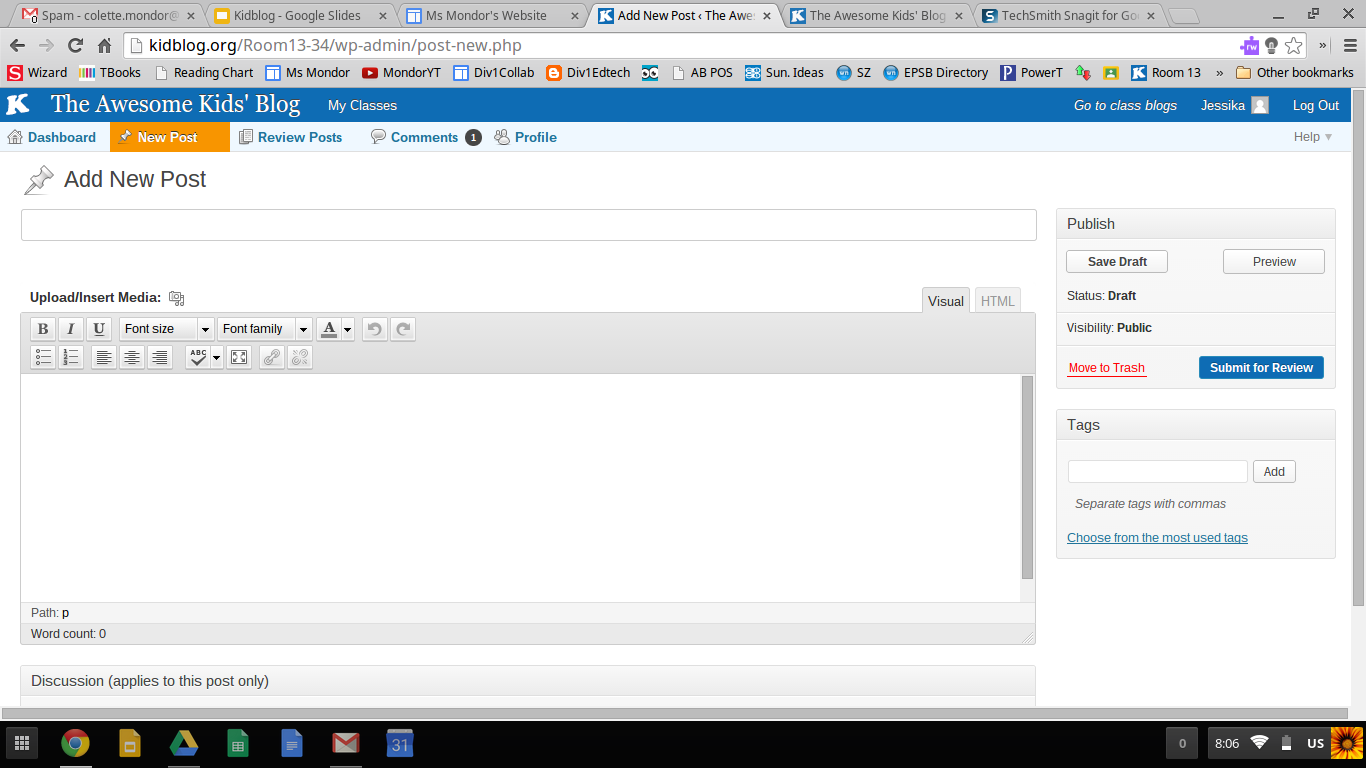
What A New Post Looks Like

Their new post format is very similar to other blogging platforms. I wish it was a little more division one friendly. In general, students have minimal difficulties with composing new blog posts. Younger students will need help finding drafts and making edits on already posted blogs.


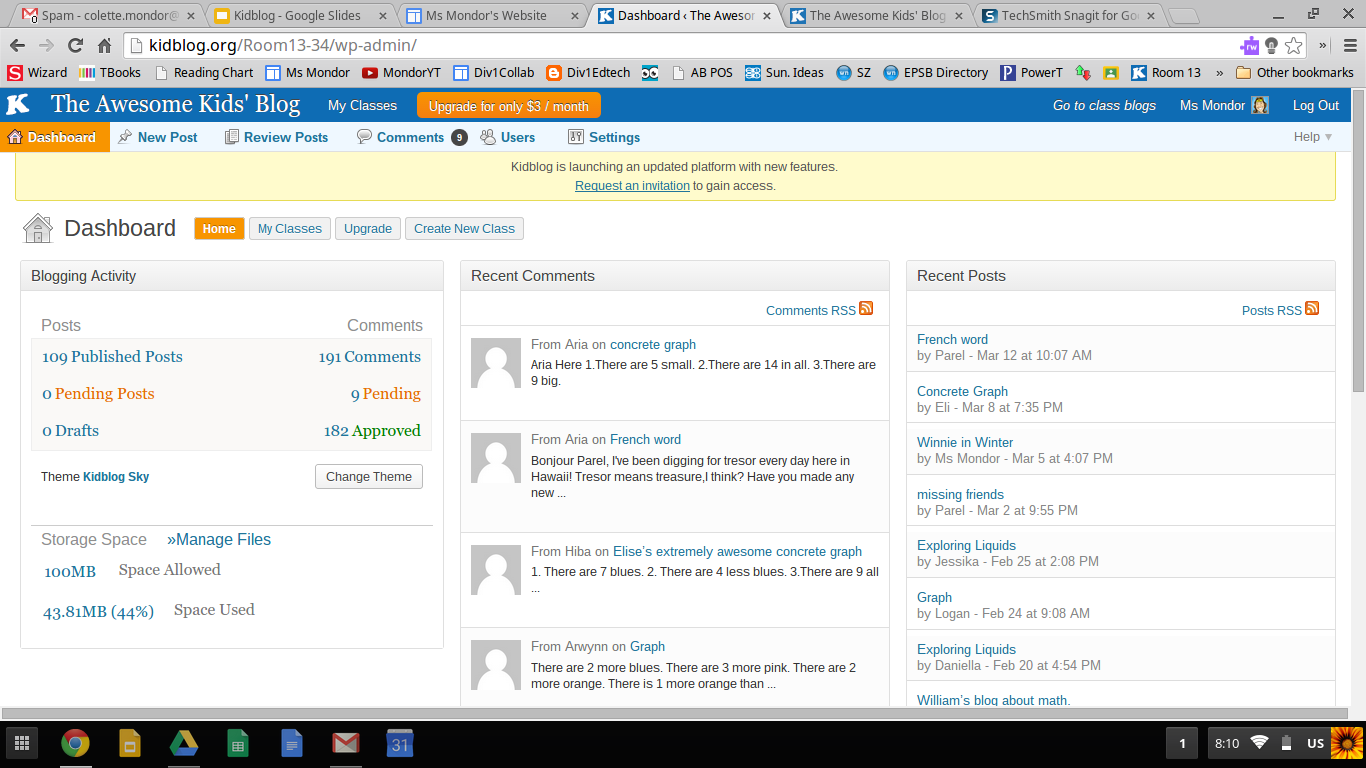
Teacher Dashboard

The teacher dashboard is well set up. You get a quick glance at if there are pending comments/posts that need your approval. 


Some Ways I Have Used It


Class Writes

PDULI4I often model a form of writing prior to students doing their own writing. I give a purpose to these class write by publishing them on our blog. This also provides parents the opportunity to see what we are doing in class.


Commenting as a First Blogging Experience

Before letting students do their own blog, I introduce the site to them by having them learn how to comment. This year I posted a picture from a field trip and asked students what their favourite part of the field trip was. I like this as an entry point into blogging because it allows them to learn how to navigate the site without the extra complication of writing expectations. 


High School Commenters

wDTzhWTo give my students the full blogging experience, I connected with a teacher in high school and arranged for his students to comment on our blogs. My students were excited to have a real (and older) audience. The high school teacher said his students found the assignment challenging.

I will say getting other classes to comment on our class and individual blog is a challenge. I use Twitter and G+ to try to solicit involvement, as well as emails to friends and colleagues.


kHguFB Student Created Math Problems and Answers


I won't go into this activity in great deal as I recently blogged about it. Students took pictures of their concrete graphs. These were then made into blog posts. Each student had to write math questions to go along with their picture. Then they each had to answer another student's blog/questions. 


Keeping Connected

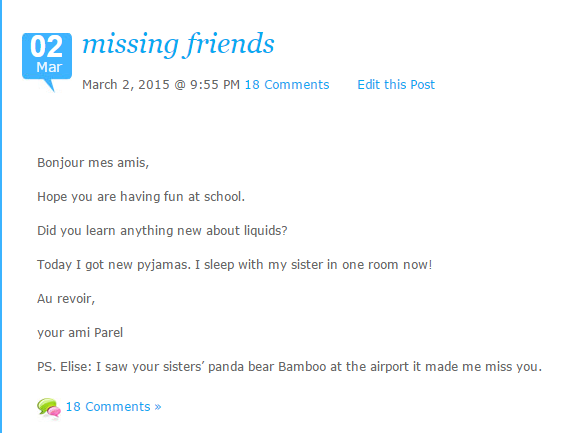
I have one student this year who is moving temporarily to another province. She will be back for grade three. She is able to stay connected with her friends while she is away. She has posted twice now and the class has replied in the comment section. Her mom emailed me to say: She is super happy to be still in touch with her friends. Thank you Colette. Talk about writing for a purpose!


Suggested Reading

If you are interested in exploring Kidblog further, I suggest reading Blogging4Kids' posts on Kidblog.